Table of Contents
Overview
If your dealership uses ZiiDMS for quote creation, DX1 lets an administrator map each DX1 user to a specific ZiiDMS salesperson record. When that user creates a quote from Lead Detail, DX1 uses the saved mapping so the quote is assigned to the correct salesperson in ZiiDMS. This feature is designed to give the dealership full control over salesperson assignment.
Who should use this feature?
This feature is for dealership users, primarily administrators or other authorized users who manage user accounts. This feature is useful when multiple employees create quotes in DX1 and each quote needs to be assigned to the correct salesperson in ZiiDMS. To use this feature, your dealership must have ZiiDMS integration enabled, and you must have access to manage users.
Before you begin
Make sure all of the following are true:
Your dealership has ZiiDMS integration enabled.
You have access to manage users.
The DX1 user you are updating already exists in DX1.
The matching salesperson already exists in ZiiDMS.
If ZiiDMS integration is not enabled for the dealership, this feature is not available. If you do not have access to manage users, you will not be able to view or update the mapping field.
What the mapping does
Each DX1 user can be linked to one ZiiDMS employee record through the DMS Salesperson ID field on the user’s details.
When a mapped user creates a quote:
DX1 identifies the currently logged-in DX1 user.
DX1 checks that user’s saved ZiiDMS salesperson mapping.
DX1 sends the mapped ZiiDMS employee ID in the quote request.
ZiiDMS assigns the quote using that mapped salesperson.
Guided Tour
Step by Step
1. Open the Users area
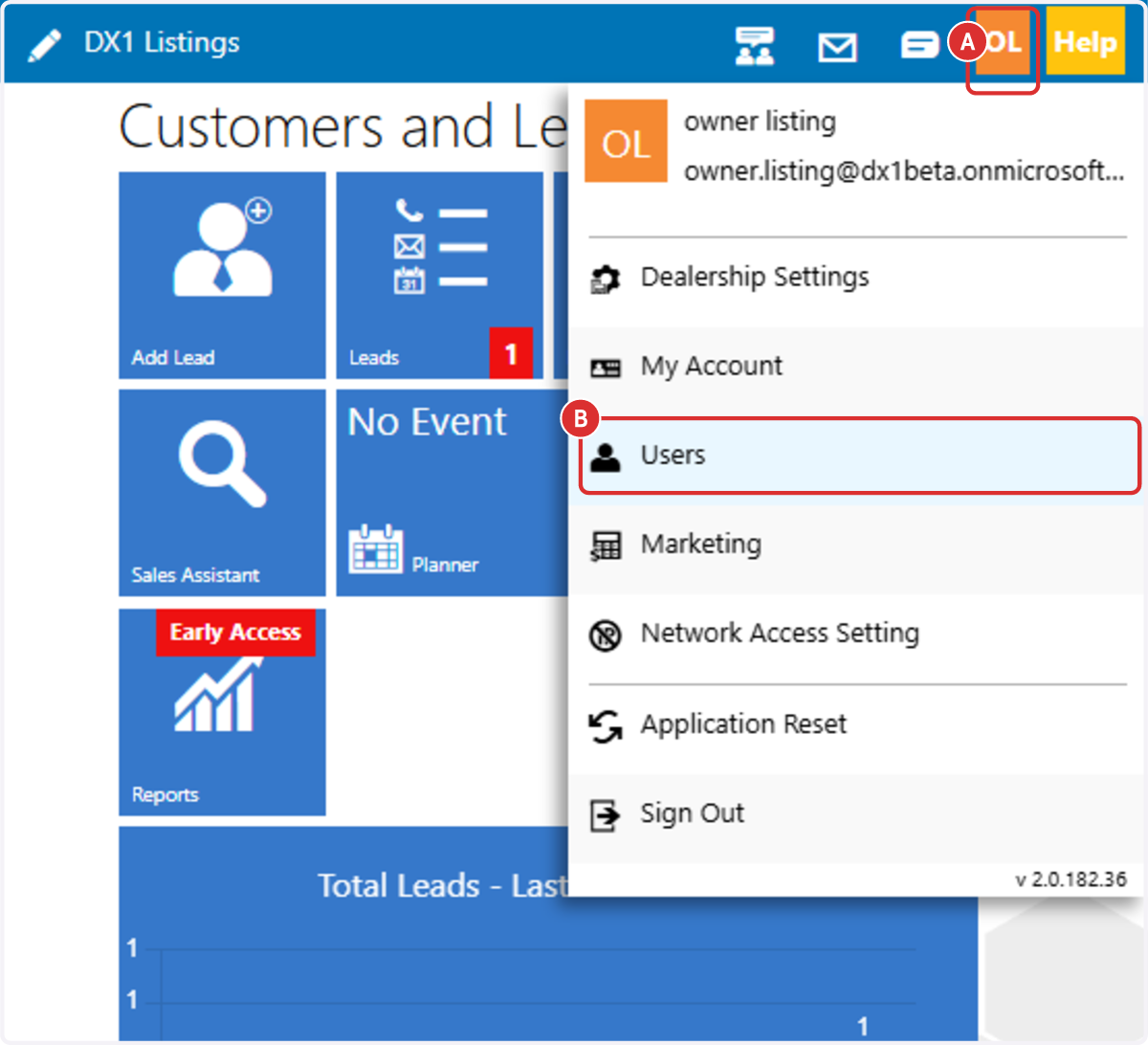
In DX1, click your initials in the upper-right corner, then select Users.
Your DX1 account must have the Users permission active.
2. Select the user to map
Select the user you want to map. This opens the existing User Details screen for that user.

3. Choose the ZiiDMS salesperson and save
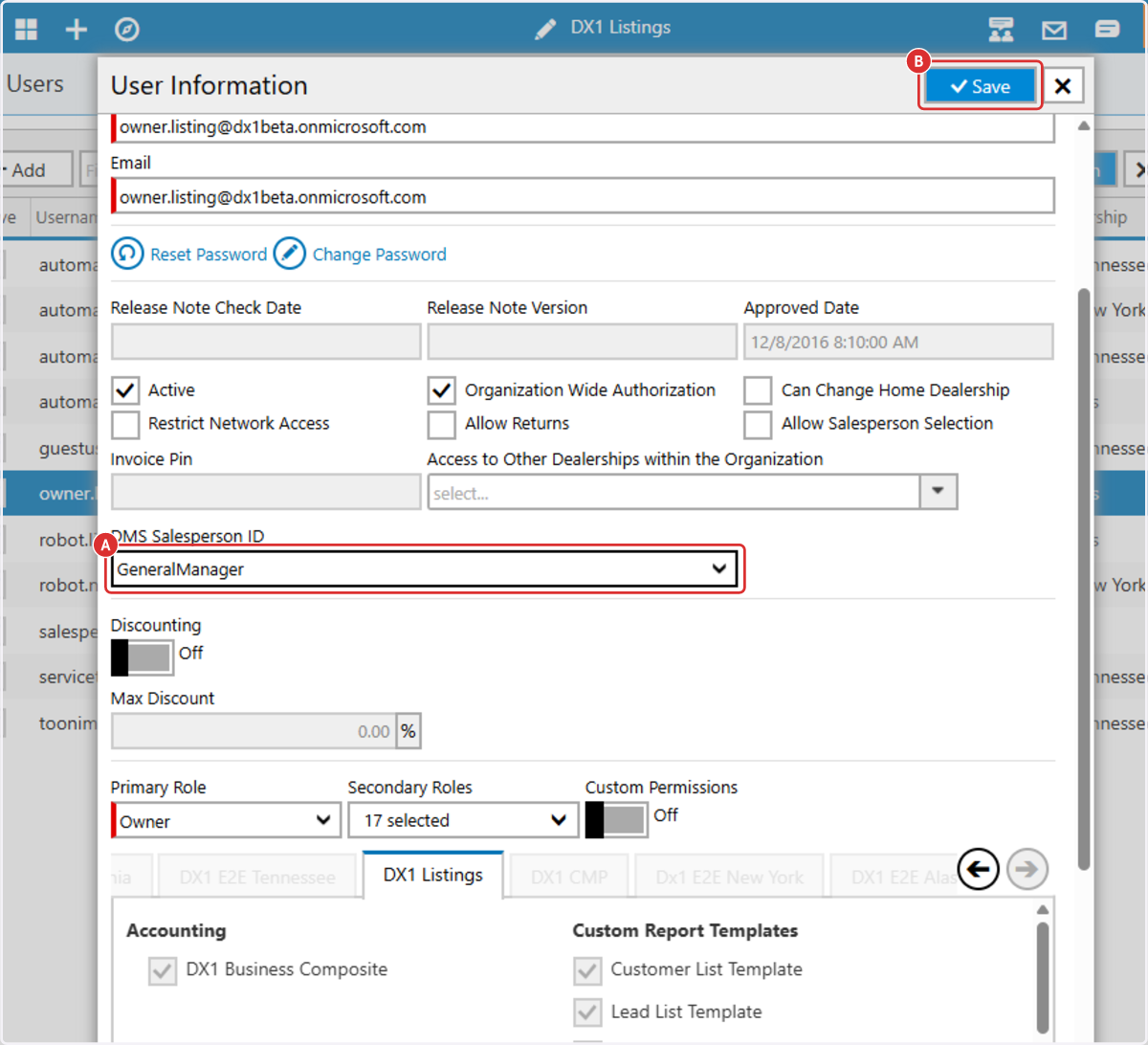
Find the DMS Salesperson ID field. If your dealership has ZiiDMS integration enabled and you have access to manage users, you will see this field on the user record. Open the dropdown and choose the correct ZiiDMS salesperson.
Click Save to save the user record. Repeat this process for each user who will create quotes.