
Parts Unlimited offers dealer-specific pricing that can be loaded directly into DX1, which is updated nightly. To take advantage of this feature, you need to obtain your Parts Unlimited API Access Key and enter it into DX1. Here are the steps you will need to take.
Obtain your API Access Key from PU:
Assuming you are setting this up for the first time, you need to email the Parts Unlimited Dealer Development department to acquire an API Key. To make things easy, their email & a request email template are below, and be sure to have your dealer number ready.
Email Template
Title: API Key request for DX1 Integration
Boby: I'm reaching out to request an API Key for the DX1 Integration. My Dealer Number is [Your dealer Number].
If you are not an authorized dealer, then visit the Become a Dealer page (link below) for information on how to apply. Once you've become an authorized dealer, you can request an API Access Key.
https://www.parts-unlimited.com/become-a-dealer
Once you are an authorized dealer and have an API Access Key, navigate to the dealer portal. To make things easy, the link is below.
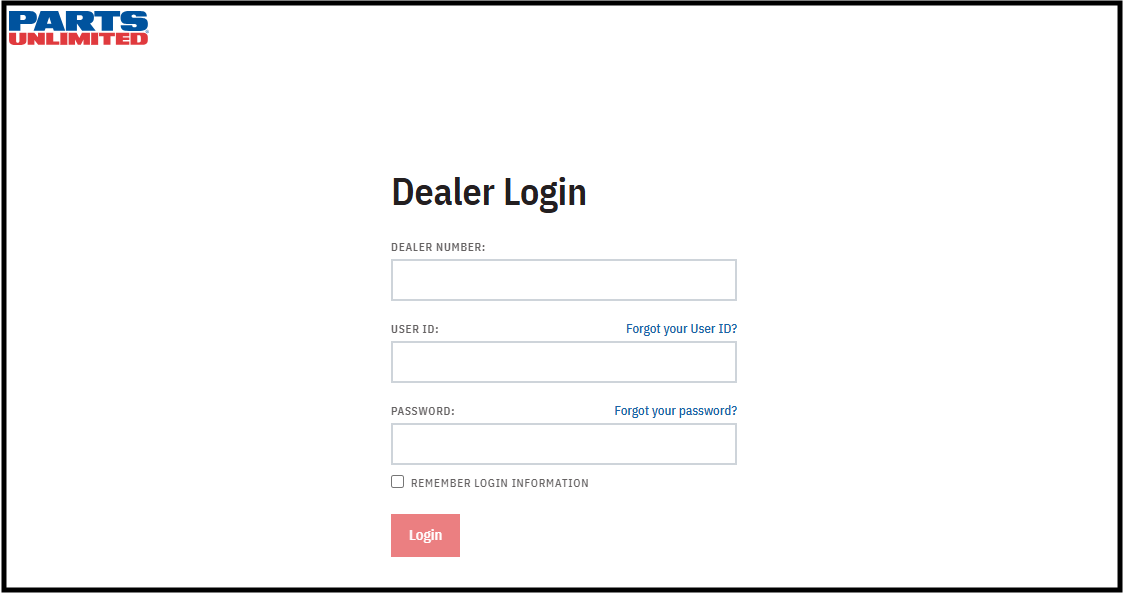
https://dealer.parts-unlimited.com/login
Once on the page above, you will be prompted to log in with your Dealer Number, User ID & Password.
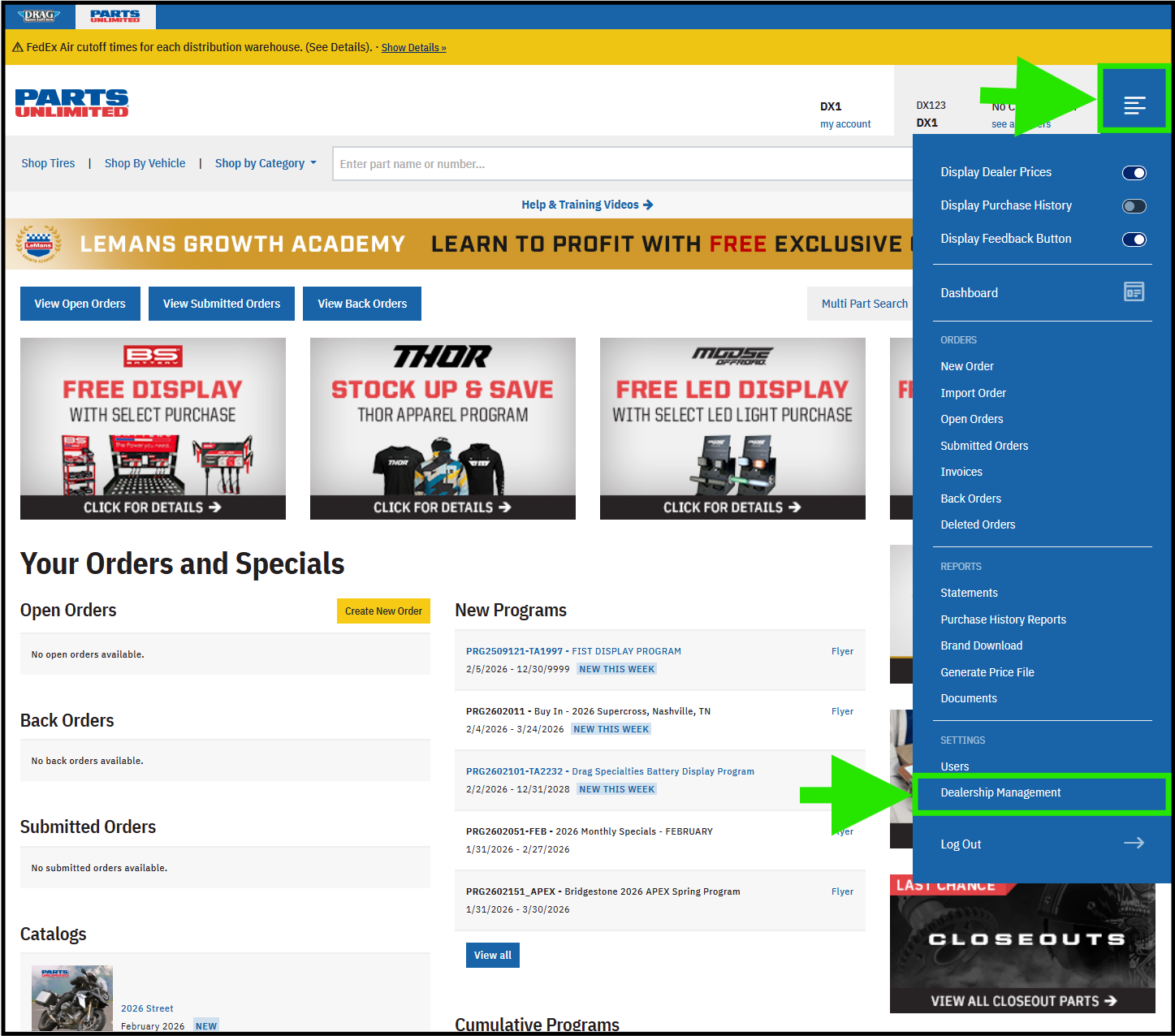
You will be navigated to the Parts Unlimited homepage.
Click on the menu button in the top right of the screen.
Then click the Dealership Management option from the dropdown.
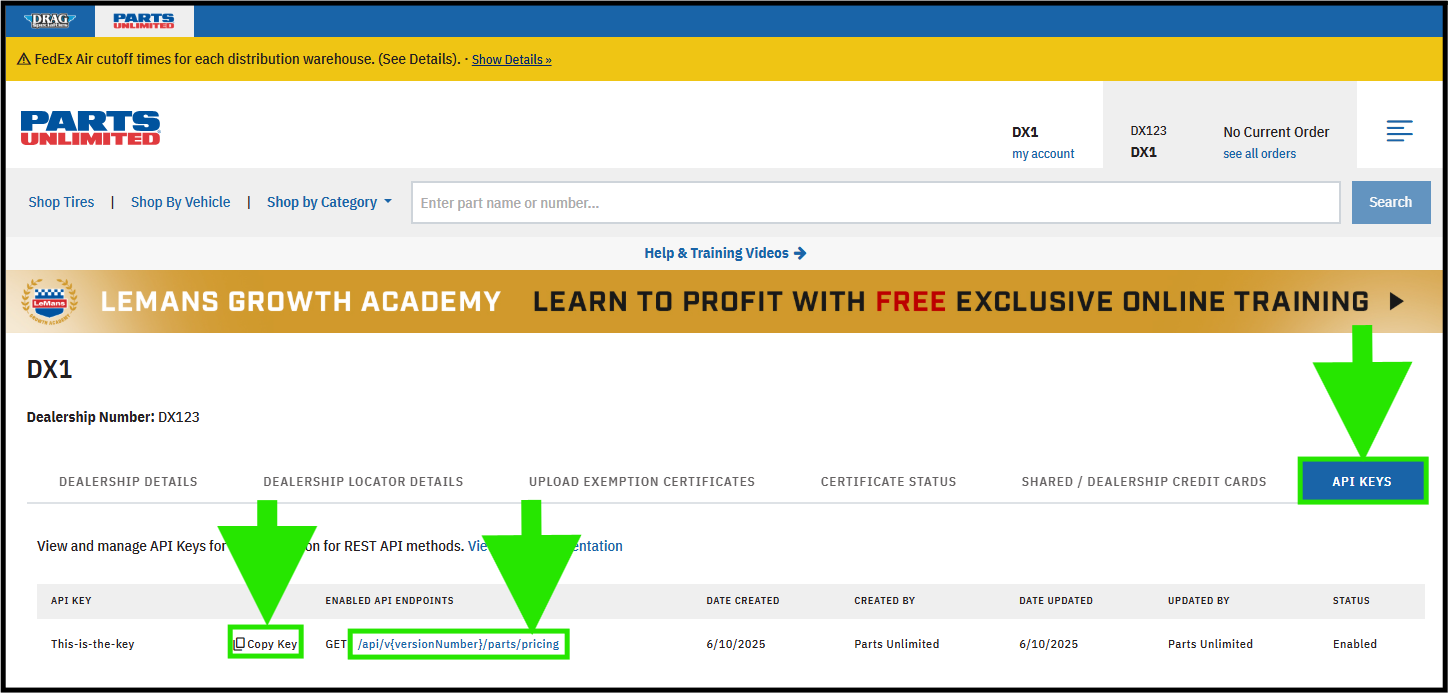
You will be navigated to the Dealership Management page.
Click on the API KEYS option on the right side of the screen.
Click on the Copy Key button in the first column on the left. You will paste that into DX1.
Verify that in the column ENABLED API ENDPOINTS, there is the option GET /api/v{versionNumber}/parts/pricing.
Add the PU Catalog to your dealership
If you already have the Public WPS catalog added to your dealership, you can skip this step. If not, contact the DX1 Support team and ask them to add the WPS Catalog for you. Be sure to have your WPS dealer number handy.
Enter your WPS token into DX1
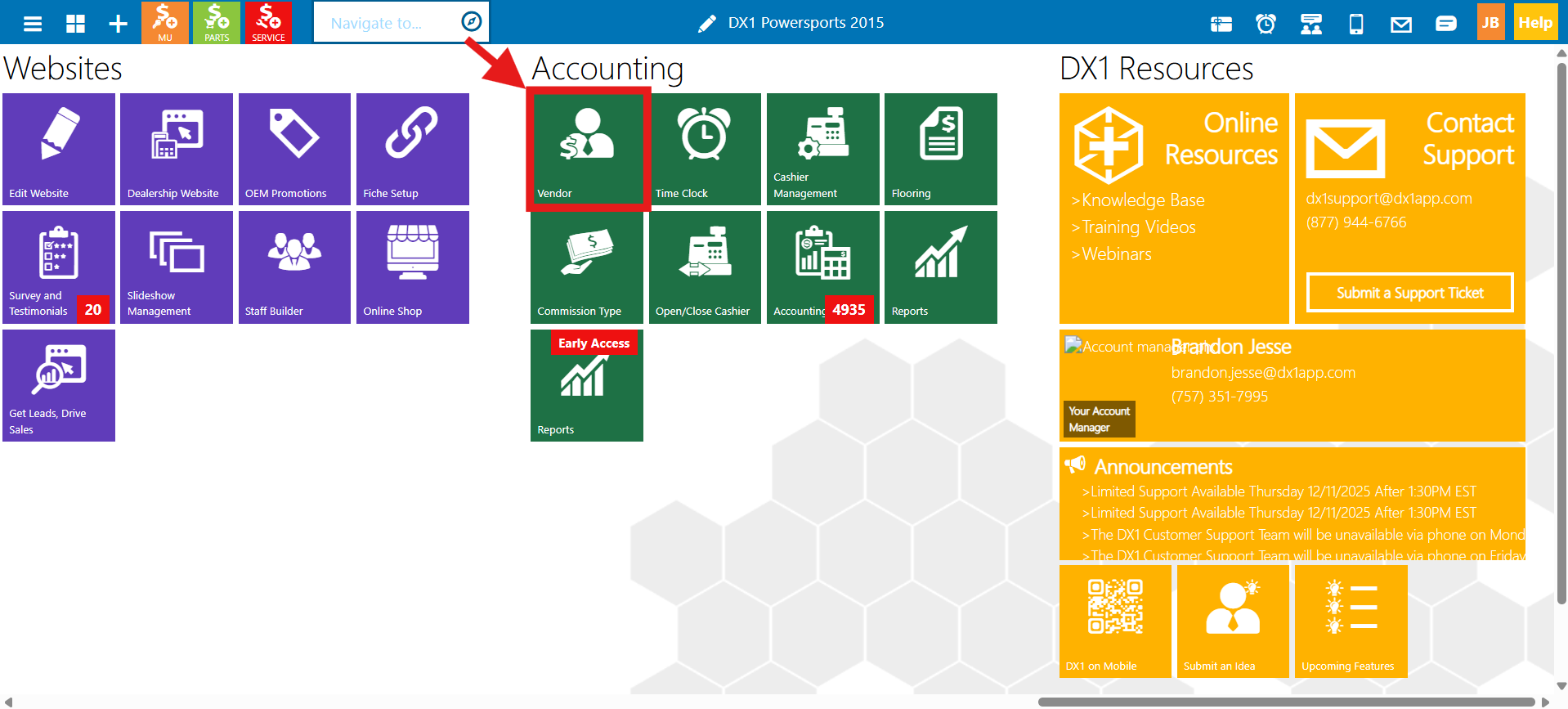
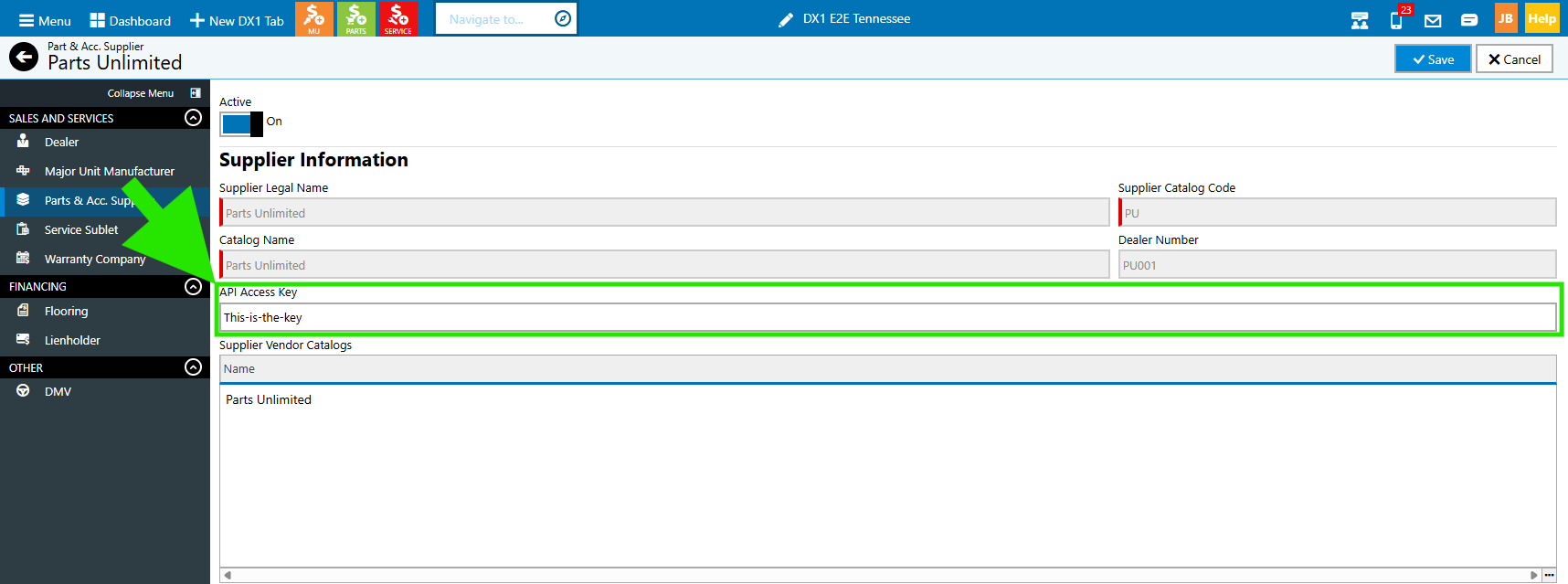
In DX1, click the Vendors tile and open up your "Parts Unlimited" vendor.
In the API Access Key field, paste in your Key from the PU Dealership Management.
Click Save
SPECIAL NOTE
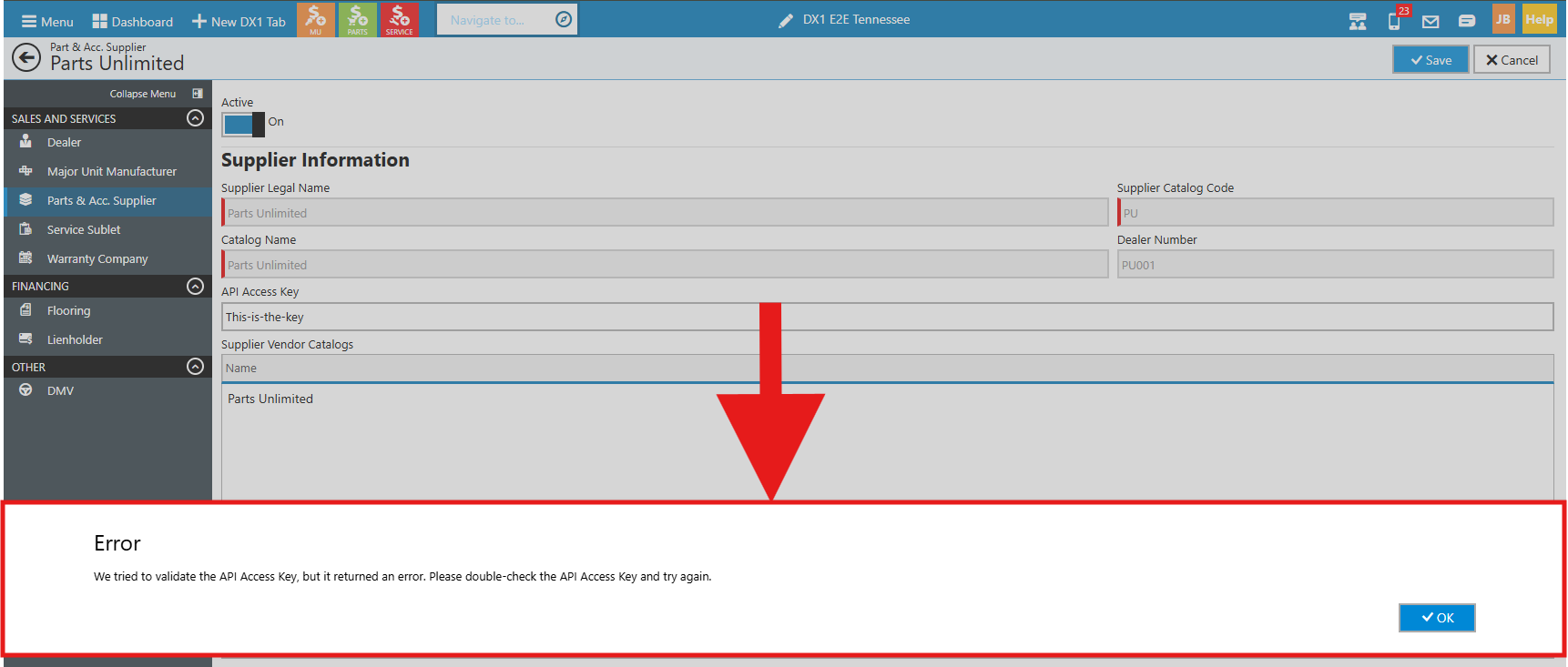
We send a test call to the Parts Unlimited API, with your dealer-specific API Access Key. If you see this error, either your Key is not active, which you will need to contact Parts Unlimited, or your key has a typo.
Note that pricing data is updated nightly, so you will need to wait until the next day to see your dealer-specific prices updated in DX1.