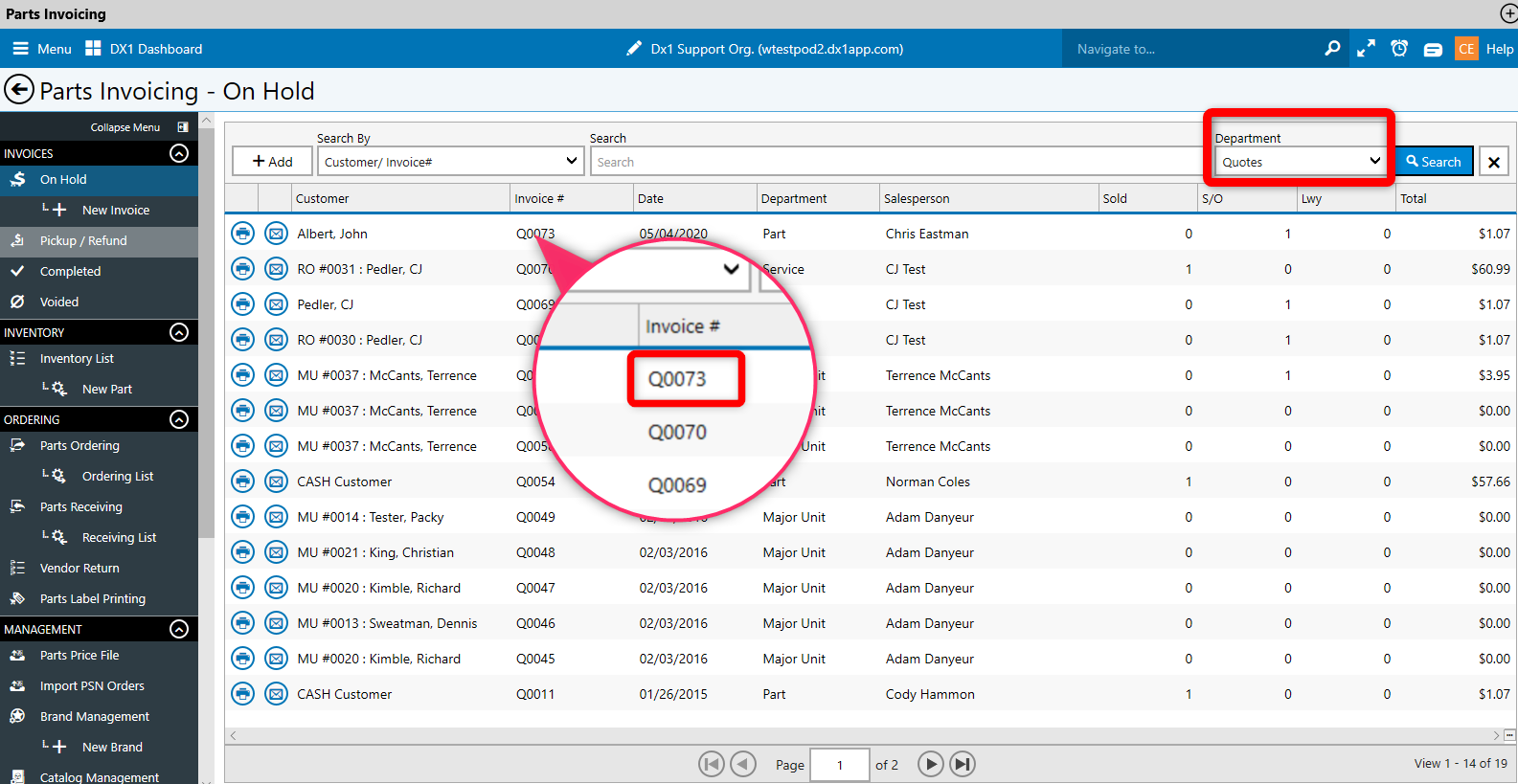
A new parts quote indicator has been added into two different areas of the sales tile:
The invoice screen
The Department drop down in the parts invoicing - on hold screen
Note: displaying as a quote status only occurs if parts ARE NOT pulled from inventory
Example # 1: Parts Invoice screen
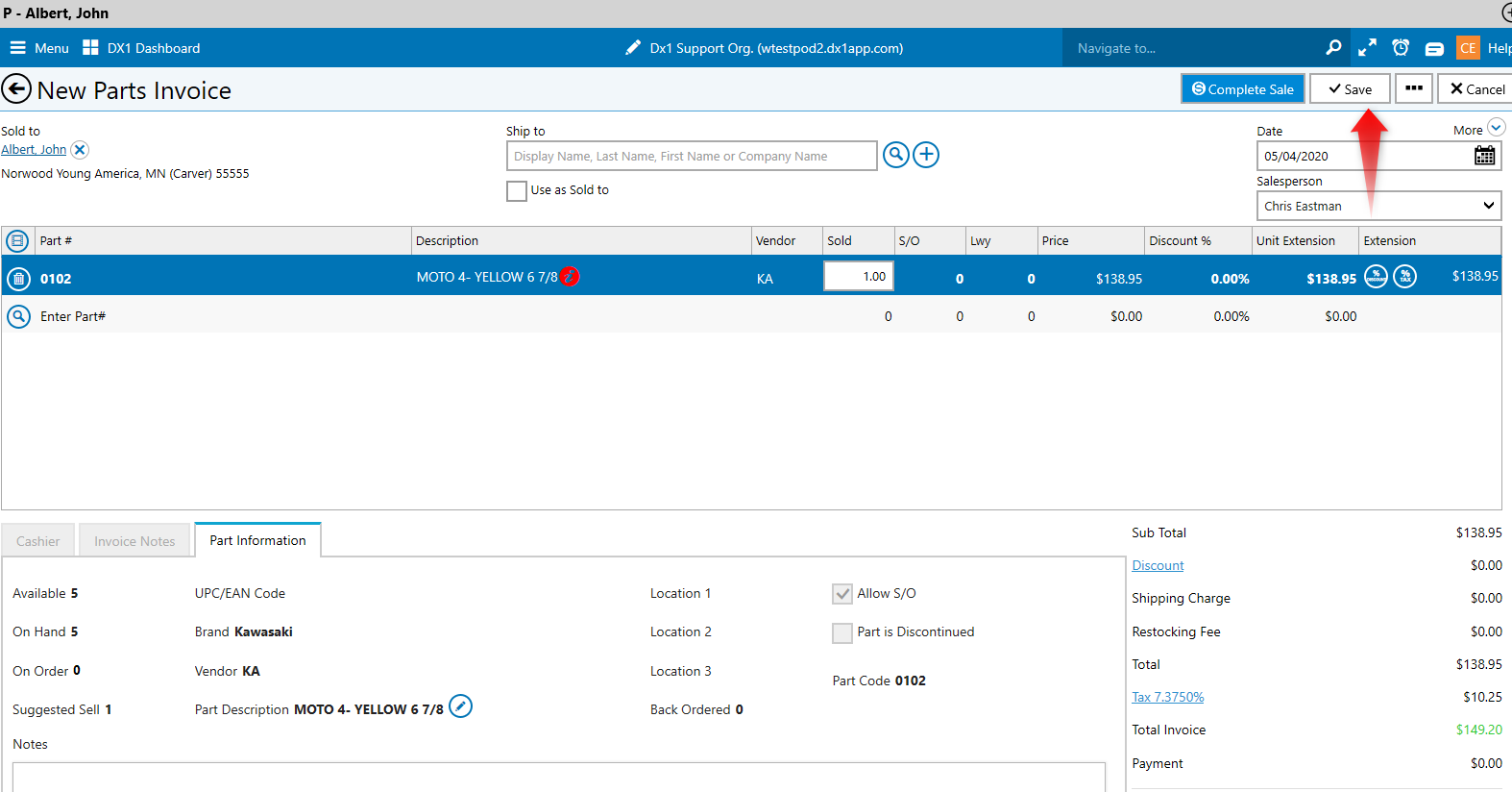
Once the part has been added Click Save
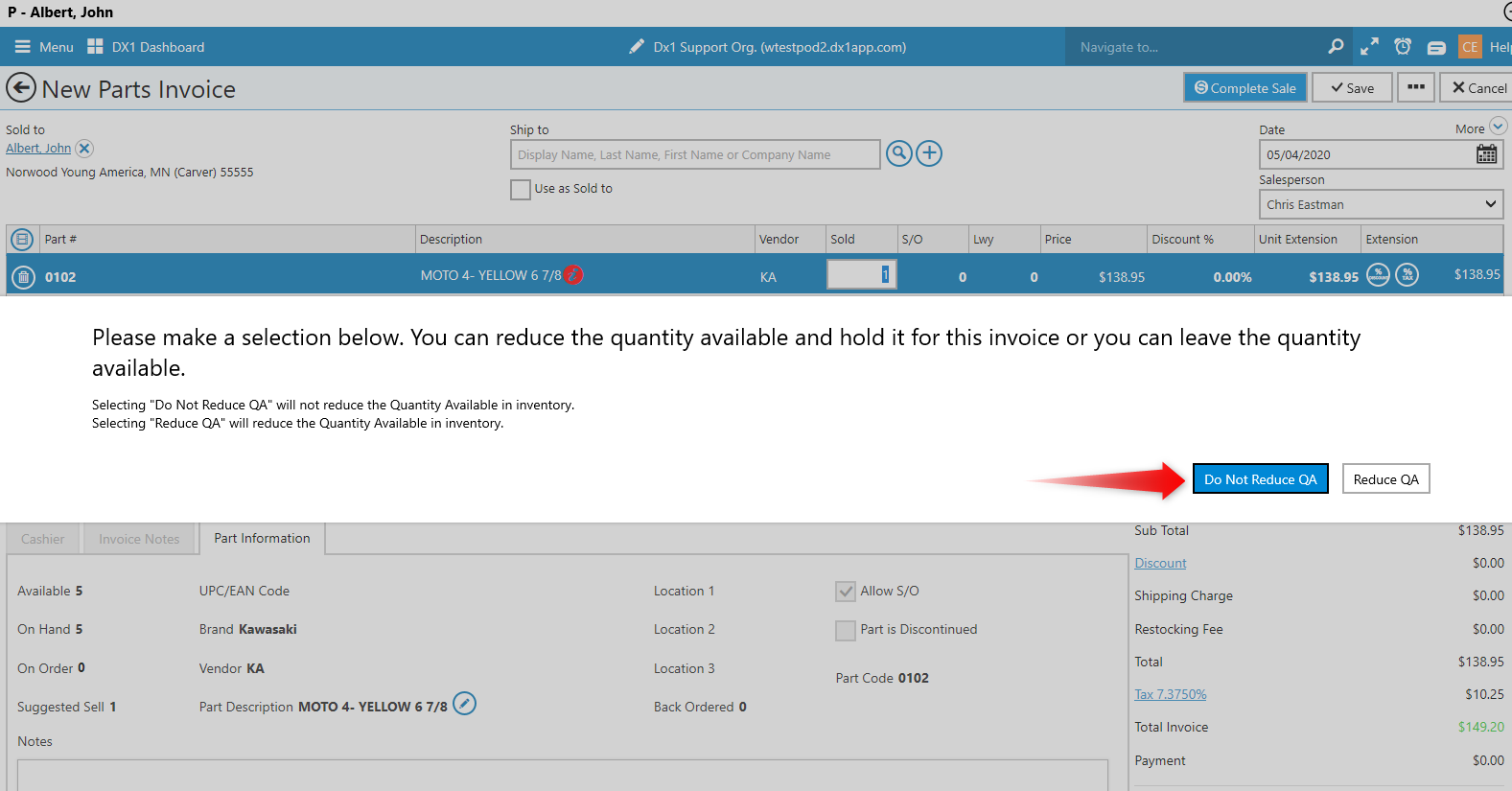
Click Do Not Reduce QA
The letter Q for Quote now shows as part of the invoice number
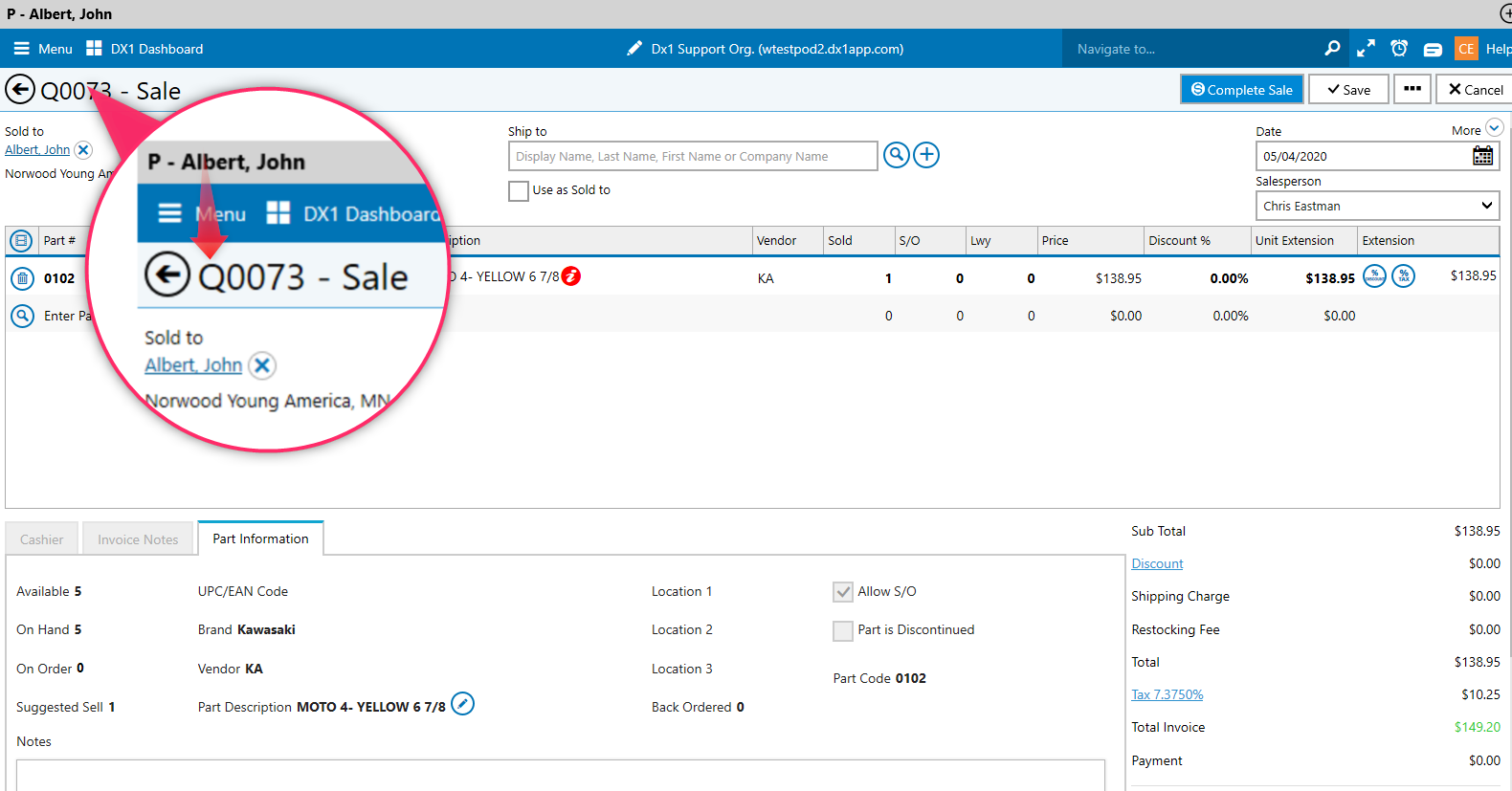
Note: The Q will also be shown with Special Order invoices as well
Example # 2: Parts Invoicing - On Hold
By clicking on the Department filter users will now see only those invoices that have been saved as quotes
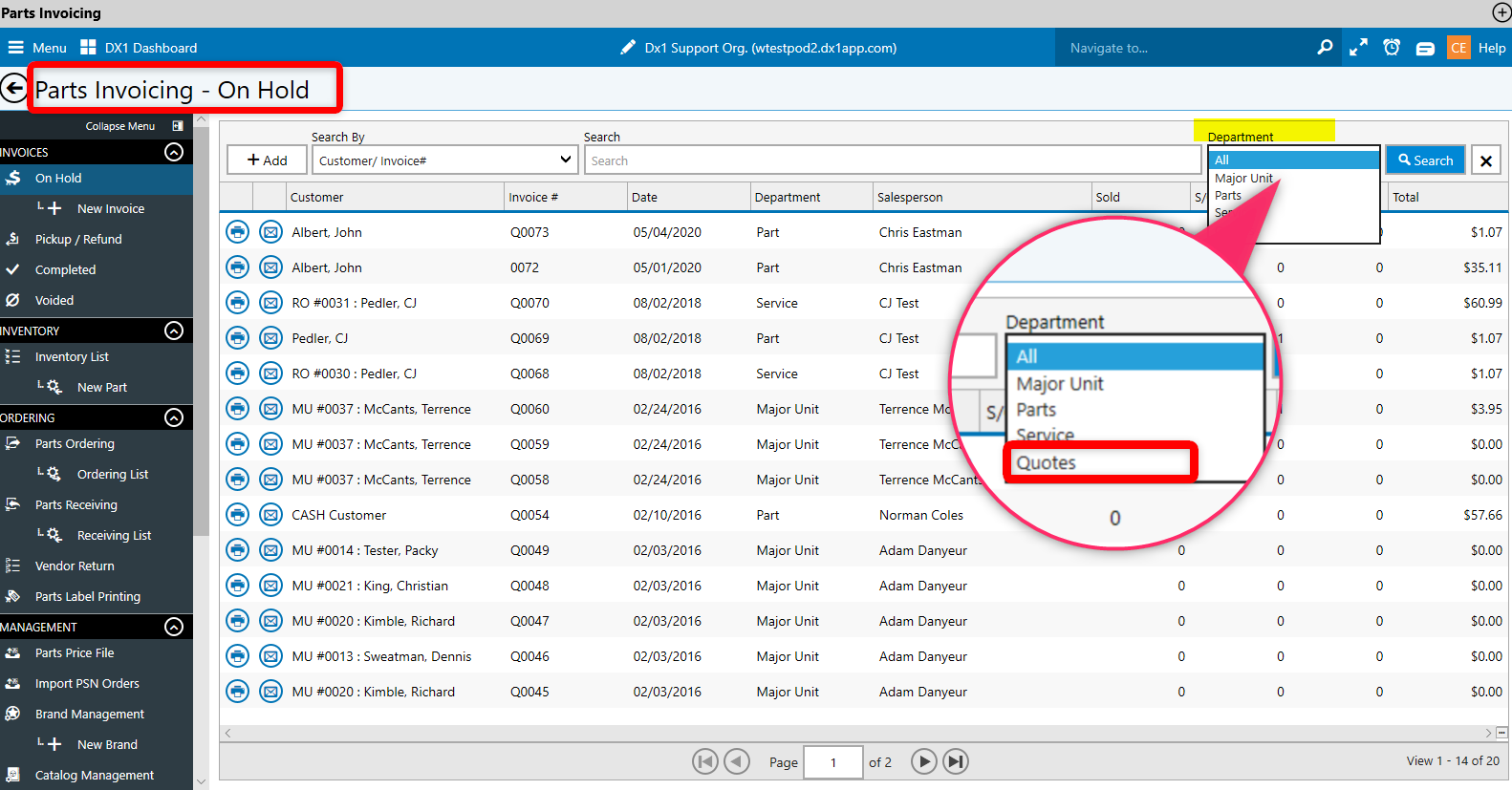
The Q will also show once the filter is set and the search is done